New Miner Commissioning Checklist: What to Verify Before Handover

A new batch of ASIC miners appears in the monitoring list, and installation looks complete. At the next shift change, a few devices have no rack position, some still use an old pool subaccount, and the customer's device count does not match the installation sheet. The miners are running, but the team has inherited gaps that will complicate troubleshooting and reconciliation.
For an operations supervisor, commissioning should establish four things: reliable monitoring, correct location and ownership, hashrate reaching the intended pool account, and suitable operating rules. This checklist covers new installations in ItsMiner and repaired miners returning to service. It is an operational workflow, rather than an automatic acceptance test.
1. Reconcile Device Identity Before Counting Online Miners
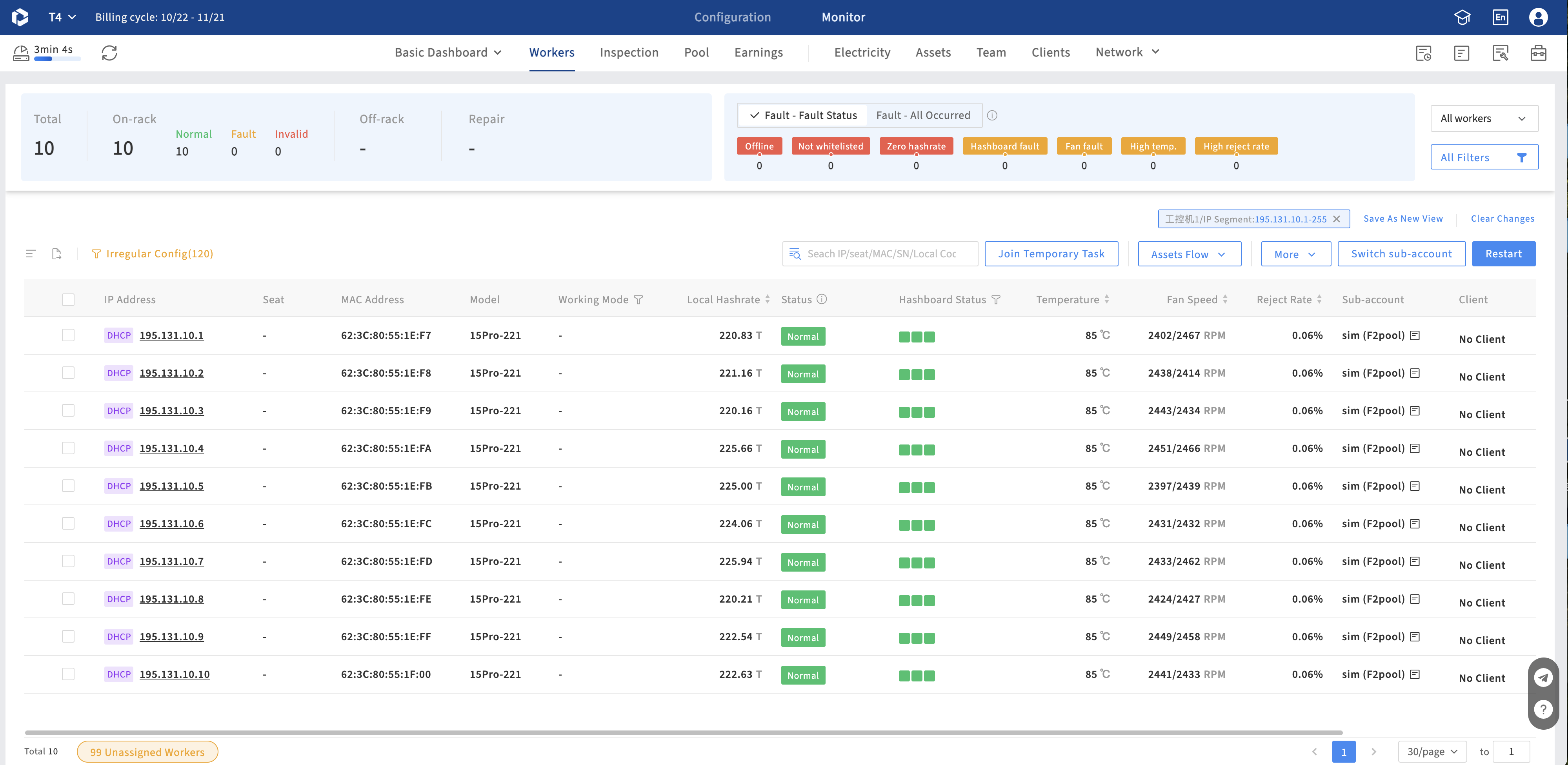
How it works: In the miner list, narrow the scope using the IP range, model, or other criteria that identify the batch. Compare IP addresses, MAC addresses, models, and device counts with the installation sheet. Check API status, hashboards, fans, temperatures, and operating modes as well as connectivity.
Why it matters: An increase in the site's online count does not prove that the intended devices were commissioned. A matching count can still hide a missing unit and an unrelated miner.
For example, if 200 miners were scheduled for installation but only 196 can be reconciled, identify the missing four and establish their status. These are illustrative numbers, not a recommended acceptance rate. Keep existing records separate from the new batch, and investigate unexplained differences rather than adjusting the installation sheet to match the dashboard.
2. Confirm Physical Location and Customer Ownership
How it works: Use Site Map to check the building or container, rack, and slot associated with each miner. Investigate unmatched positions and IP conflicts against the actual installation and network configuration. For operator-managed sites with the customer module enabled, also verify ownership under Customers > Assign Miners.
Why it matters: The next technician should be able to locate the device, and customer reporting should refer to the correct equipment.
Newly scanned miners are unassigned by default. Changing a pool subaccount or its customer ownership does not automatically assign the miner itself. Check the two ownership records separately and resolve inconsistencies. If a customer needs access to their miner information, hosted-site authorization can subsequently provide access within that customer's device scope.
3. Verify Where the Hashrate Is Going
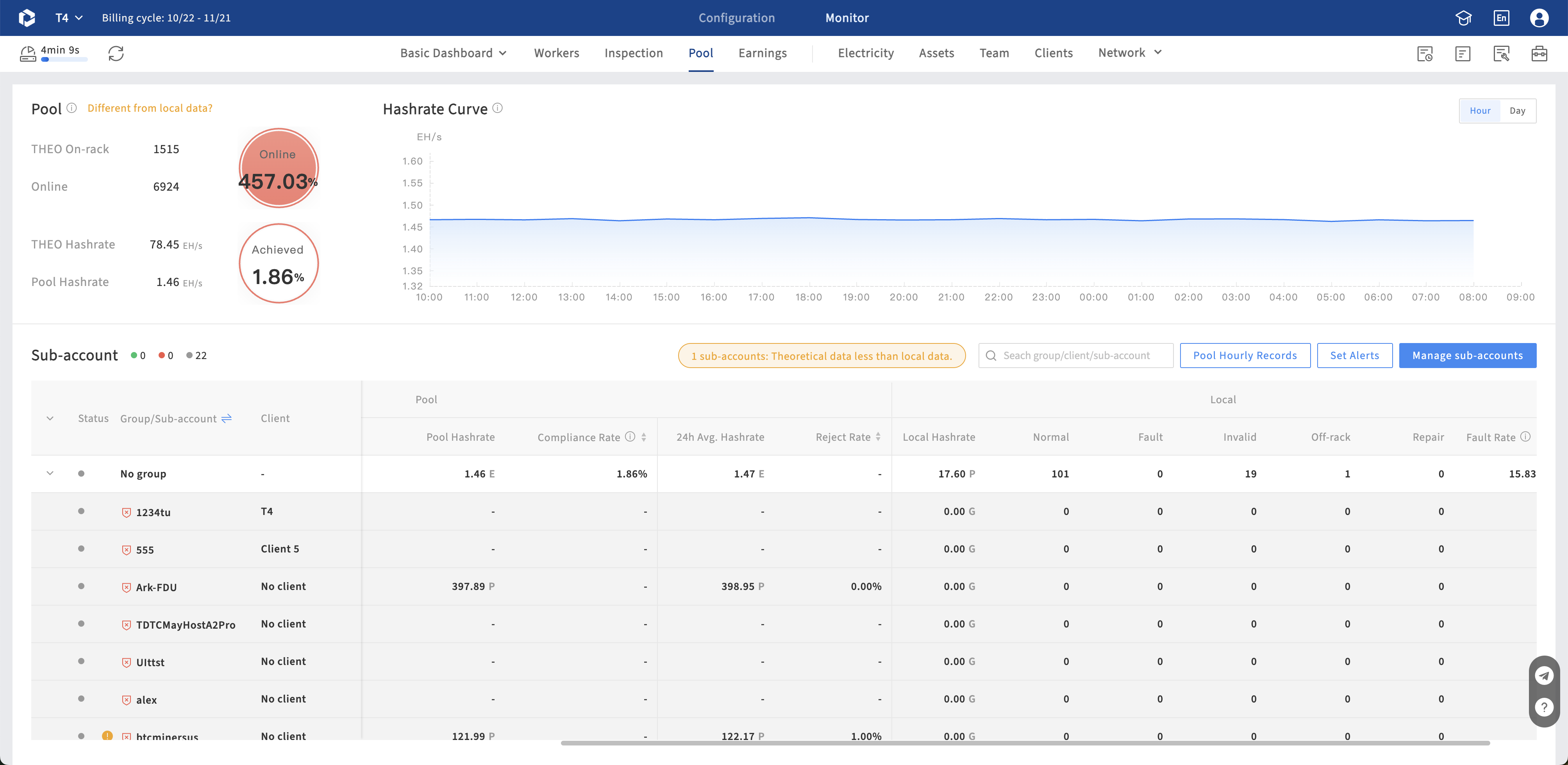
How it works: Check the mining URLs, subaccounts, and worker names actually configured on the devices. In the pool module, confirm that the relevant observer link is valid and has the permissions required by that pool. Review the approval and whitelist settings for newly discovered subaccount configurations.
Why it matters: Local hashrate shows what the miner reports. Pool data helps establish whether the intended subaccount is receiving work.
Allow the batch to stabilize before comparing results. Use the same equipment scope and comparable observation windows, rather than expecting the first local and pool readings to match. If data is missing, check collection and permissions first. Investigate persistent discrepancies through configuration, rejection rates, and network conditions. Also review the theoretical hashrate baseline after adding equipment: Hashrate Compliance Rate depends on that baseline being appropriate.
4. Review Rule Scope Against the Configured Criteria
How it works: Automated maintenance and Load Control use their respective configured miner scopes, trigger conditions, and execution settings. Neither distinguishes newly connected equipment from existing equipment. When a rule is active and a miner meets its execution criteria, the configured action applies.
Why it matters: The commissioning team needs to understand which rules apply to the batch and under what conditions those miners may reboot, change operating mode, or participate in load adjustment.
For example, when a rule selects an IP range, miners newly connected within that range also fall within its scope. Execution still depends on the trigger conditions and execution settings. For automated maintenance, review the fault conditions and resulting actions. For Load Control, review miner selection, supported target modes, batching, and restoration settings. If the operating strategy needs to change, update the relevant configuration; do not assume newly connected miners are automatically excluded.
5. Leave a Handover Record the Next Shift Can Use
Work through the following checks for each batch and record the outcome:
- Identity: Reconcile the installation sheet with the monitored devices individually.
- Location: Verify rack positions and document the resolution of conflicts.
- Ownership: Confirm that miners and subaccounts correspond to the intended customer.
- Output: Establish that pool data is available and review performance after stabilization.
- Rules: Check automated maintenance and any applicable Load Control scope.
- Exceptions: Record the affected device, reason, responsible person, and next review time.
Keep this as a commissioning worksheet maintained by the team, rather than implying that ItsMiner automatically generates an acceptance verdict. Review it when installation finishes, carry unresolved items into the next shift, and revisit recurring commissioning problems each week. A miner that still needs verification should have a named owner and a next action before the batch is handed over.
Contact us for a demonstration:
Website: www.itsminer.com | Email: sales@powsell.com | Telegram: @ItsMinerOfficial
Subscribe to ItsMiner's Blog
Get the latest posts delivered right to your inbox